Summoner's Gambit Controls & Battle Prep Interface
Move units, read energy, and confirm fusions without losing the decision thread.
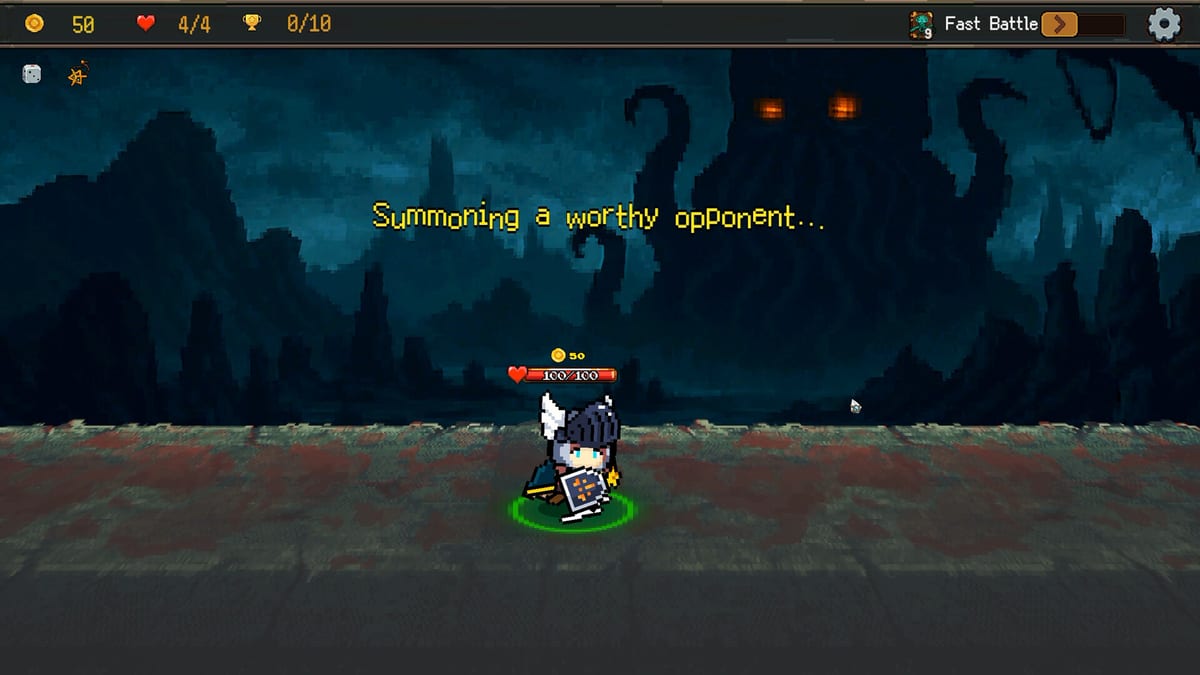
Why interface fluency is a strategy skill
Summoner’s Gambit is not a pure reflex game, but slow UI habits still lose runs. Auto-battler combat means your meaningful clicks happen in prep: placing units for attack order and skill range, checking energy before a greed summon, confirming fusion parents, and navigating shops before you tilt-buy a dead card. This guide is about building a repeatable control rhythm so your brain stays on the gambit, not on hunting buttons.
Pair this page with Getting Started for what good placements look like, and with Energy Overflow for what the energy meter is telling you. All guides: Guides Hub.
Battle prep loop (memorize this order)
Use the same sequence every fight so you do not skip a layer under pressure:
- Read the enemy board — where is their early attack order, where are ranged threats, what dies if you mirror your last layout?
- Place tanks / early actors — fill the cells that absorb the opening exchange.
- Place skill-range pieces — confirm cones, lanes, or backline reach actually touch targets.
- Check energy plan — safe, pressure, or scheduled greed? Decide before you confirm.
- Last-second swaps — fix one misclick; do not rebuild from scratch unless the matchup demands it.
If you routinely skip step 4, Overflow will feel “random.” It is not. You forgot to decide.
Formation editing habits
- Move one unit at a time with a purpose: “this caster needs range,” not “everything looks ugly.”
- After a fusion, re-open placement even if you won the previous fight—the hybrid may have new timing.
- Keep mental templates: anti-burst, anti-stall, anti-snipe. Swapping into a template is faster than inventing art under stress.
- In Ascension and Endless, assume you will re-place more often; see Ascension.
Async ladder uses the same muscles with higher stakes: Async PvP.
Deck, fuse, and item screens
Deck view — trim after major shops. If you cannot say what a card does in your win condition, it is a candidate for removal. Build goals: Builds. Rankings: Tier List.
Fusion view — always name the two jobs you are keeping before you confirm. Inheritance details: Card Fusion. Never mash confirm because the preview art looks cooler; cosmic-horror portraits lie.
Runes and potions — equip and reserve with a failure mode in mind (energy recovery vs sustain vs tempo). Catalogs: Items.
Energy meter literacy
Glance at energy the way a blackjack player glances at a hand total:
- Buffer remaining = how many honest summons you still have.
- Near ceiling = you are in the pressure band; only intentional tools should push further.
- Cheat the Odds available = treat it as a committed line, not a fidget click.
If the meter is confusing in the heat of prep, slow down. One careful second beats a bust that deletes a ten-minute node.
Shop speed without shop tilt
Shops are where control discipline fails. Practical rules:
- Check fuse materials for your planned hybrid first.
- Check runes that fix your actual failure mode second.
- Consider raw power third.
- Leave before you “just browse” into bloat.
Helpers that reduce theorycraft friction: Tools.
Accessibility and session comfort
Summoner’s Gambit’s presentation mixes character art with cosmic-horror tone—readable UI still matters. Sit at a resolution where card text and energy numbers are crisp. On longer Endless sessions, take breaks between nodes so placement quality does not decay. System baseline from Steam is modest (Windows 10, GTX 1060-class recommended), but clarity beats max settings if text starts to smear.
Common interface mistakes
- Confirming a fight before checking skill range on a newly moved unit.
- Fusing from the wrong screen context and losing track of remaining copies.
- Spending potions from habit clicks instead of boss timing.
- Reusing the last formation because swapping “takes too long.”
- Ignoring patch UI tweaks after Updates land.
Practice drill
For the next five runs, force the five-step battle prep loop out loud. Time how long a full re-place takes; if it is slow, you need templates, not more caffeine. When the loop is automatic, harder content—Ascension, async snapshots—stops feeling like UI exams and starts feeling like strategy exams.
Site index: Wiki. Purchase and tone overview: Review. Master controls so the Old God’s chaos is on the cards, not in your cursor.
Frequently Asked Questions
Quick answers to the most common questions.
What should I click through before every fight?
Enemy read, tank placement, skill-range placement, energy plan, then final swaps. Keep that order consistent.
Do I need to reposition after fusion?
Yes. Inherited traits can change attack timing and skill range, so re-check the hybrid's cell before confirming.
How do I avoid shop tilt buys?
Prioritize fuse materials and failure-mode runes before raw power, then leave. Do not browse into deck bloat.
Is Cheat the Odds easy to misclick?
Treat it as a committed decision. If you are not intentionally entering a greed line, do not poke the control.
Does UI speed matter for async PvP?
Yes. Faster, calmer formation edits produce better counters than rushed last-second layouts.